How I Use Markdown Files to Give Claude Code a Perfect Memory of My Entire Project

By RJ Militante · June 2026
This is Part 2 of an ongoing series on AI memory management and context. Part 1: How I Use SSH and Claude Code to Run an AI Dev Lab From My Mac covers the remote development setup and how the file system becomes a persistent context layer across sessions.
Every time I start a Claude Code session, Claude already knows:
- What sprint we're in, what's done, and what's next
- My goals for the quarter and why
- How I want responses formatted
- What decisions we've made and what we decided NOT to do
- Which projects are on hold and why
- The full technical state of every service I'm running
I didn't build anything fancy to make this happen. I use plain markdown files.
This is the system I've been running for the past few months across a side business I'm building — AGNX Systems — and it has fundamentally changed how productive my Claude sessions are. No more re-explaining context. No more "as I mentioned before." Claude opens a session already knowing what I need to work on next.
Here's exactly how it works.
The Problem With Stateless AI Sessions
Claude Code is stateless by default. Every session starts cold. You have to re-explain what you're working on, where things stand, what decisions have already been made. For a quick one-off task that's fine. For ongoing project work across weeks and months, it's a serious tax on your time and attention.
The naive fix is to paste a wall of context at the start of every session. That works but doesn't scale — your context grows over time, and you're manually managing what to include and what to leave out.
Claude now has a memory feature that automatically captures and recalls facts about you across sessions. It's useful, but it's designed for personal preferences and working style — not for tracking complex project state across multiple codebases.
What I needed was something in between: structured, version-controlled project context that Claude reads automatically and that I fully control.
The answer was already sitting in the repo.
The File System as a Context Layer
My projects live under ~/projects. The structure looks like this:
~/projects/
  CLAUDE.md                          ← workspace-level rules for all projects
  personal/
    agnx-systems/                    ← business directory
      CLAUDE.md                      ← project-level rules + behavioral instructions
      CONTEXT.md                     ← live project state: what's running, what's next
      TASKS.md                       ← sprint board, backlog, ceremonies
      planning/
        n8n-setup-log.md             ← technical runbooks
        roadmap.md
      journal/                       ← freeform session notes
      review/                        ← sprint and quarterly reviews
  ai-lab/
    agnx-faceless-youtube-pipeline/
      STEPS.md                       ← production workflow documentation
      MASTER_PROMPTS.md              ← creative style guide
      EPISODES.md                    ← episode pipeline and status
Claude Code reads CLAUDE.md files automatically when working in a directory. Everything else I direct Claude to read explicitly at session start — usually with a single command: full status.
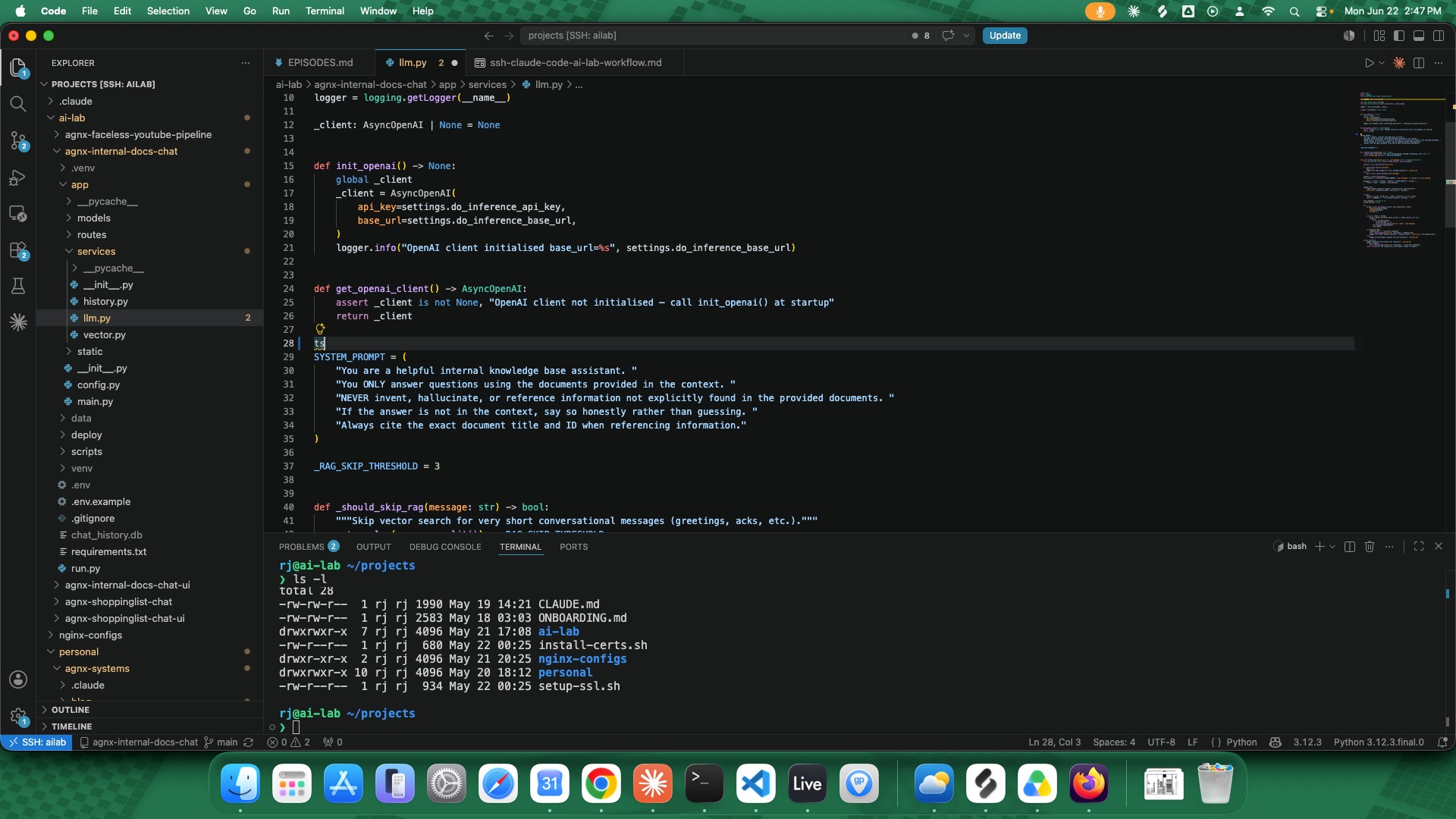
The three core context files visible in the VS Code Explorer sidebar — the entire project memory lives here.
The Four Core Files
1. CLAUDE.md — Behavioral Rules
This is the most important file. It tells Claude how to behave in this project, not just what the project is. It answers: what kind of assistant do I need right now?
Here's a excerpt from my agnx-systems/CLAUDE.md:
## Who I Am

- Senior software engineer, enterprise background
- Side project: freelance AI dev services
- Historical pattern: overbuilds before validating, avoids selling, perfectionism

## Behavioral Rules

- Be direct. No fluff or preamble.
- Always default to revenue-first thinking.
- Call out overbuilding and scope creep immediately.
- Ask "can this make money this week?" before endorsing any new idea.
- Speed of execution beats quality of plan always.
- Every hour not selling is a cost, not an investment.
- When I lose focus, reconnect every decision back to the primary goal.
This section is ruthless. I wrote it to make Claude push back on me when I start going in circles or gold-plating something that should ship. It works — Claude flags scope creep the moment it appears, because I told it to.
The CLAUDE.md also defines structured commands:
## Full Status Format

When "full status" is requested, output in this exact structure:
1. Q2 Goal — one-liner
2. Gig table — box-drawing, columns: Gig | Status
3. All sprints with box-drawing ASCII tables
4. Backlog item count
5. Blog Publishing Queue
6. Blockers

Rules:
- Use box-drawing ASCII tables — NOT markdown tables
- Always re-read TASKS.md to derive point totals — never use cached values
That last rule matters more than it looks. Without it, Claude would use stale in-context values and show incorrect point totals. Explicitly telling Claude to re-read the file ensures accuracy.
2. CONTEXT.md — Live Project State
This file is the source of truth for everything happening right now. It gets updated at the end of every session (via a "checkpoint" command) and read at the start of the next one.
It covers:
- Q2 and Q3 goals with explicit constraints ("No SaaS building until gig is generating income")
- Gig status — which gigs are live, how many orders, what's in progress
- Active projects — what's deployed, what ports they're on, what the current state of each service is
- Sprint board summary — DONE/TODO counts, blockers
- What's next — the 3-5 things that matter right now
- Technical specs for every service I'm running (deployment config, URLs, auth setup, known issues)
A sample from the active projects section:
### my-chatbot (backend)
- RAG pipeline stable — streaming, source attribution, hallucination fix in place
- Auth complete, payments in test mode
- DEPLOYED — running as systemd service, ENV=prod
- LIVE at https://chatbot.example.com — OAuth working ✓
This means I never have to re-explain what the service is, what's deployed, or whether auth is working. Claude already knows.
3. TASKS.md — Sprint Board and Backlog
This is a full agile task board in markdown. It has:
- A sizing guide (1pt = <1hr, 2pt = 1-2hrs, 3pt = 3-4hrs, 5pt = ~half day, 8pt = full day)
- Status definitions (TODO, IN PROGRESS, BLOCKED, DONE, ON HOLD, CARRY OVER)
- Sprint structure with dates and status
- Sprint ceremonies (grooming, review, quarterly)
- Individual sprint tables with every task, priority, points, and status
- A global DONE archive
- An ungroomed backlog
- On hold items with reasons
Example sprint table:
Sprint 5 (May 27–Jun 9) — ACTIVE · 5 days left

| Task                                    | P  | Pts | Status |
| Fix Mailgun SMTP                        | P1 |  2  | DONE   |
| Create Apollo.io account + get API key  | P1 |  1  | DONE   |
| Install n8n on ailab via Docker         | P1 |  1  | DONE   |
| n8n setup + design agent chain          | P1 |  2  | TODO   |
| Film seller profile video        | P2 |  2  | TODO   |
The full status command in CLAUDE.md tells Claude to re-read this file and derive totals fresh every time — so the status output is always accurate even if Claude's in-context understanding has drifted.
4. Project-Specific Context Files
Some projects have their own context files beyond TASKS and CONTEXT. For my AI YouTube channel pipeline (agnx-faceless-youtube-pipeline), I have:
- STEPS.md — a 9-step production workflow documenting exactly how each episode is made, with every tool, setting, and prompt captured
- MASTER_PROMPTS.md — the creative style guide (voice, tone, music arc, visual style, narration rules)
- EPISODES.md — all 12 planned episodes with status, themes, and production notes
These files mean I can produce an episode months from now and Claude will know the exact ElevenLabs settings, the CapCut export config, and the Suno music style — without me having to remember or re-explain any of it.
The Checkpoint Command
At the end of every session I run "checkpoint." Claude knows exactly what this means from CLAUDE.md:
## Checkpoint Command

When "checkpoint" is requested:
1. Update CONTEXT.md — reflect current sprint DONE/TODO counts, What's Next, any state changes
2. git add CONTEXT.md TASKS.md
3. Commit with a concise message describing what changed this session
4. git push origin main
This gives me a git history of every session's progress. I can look back at any commit and see exactly where the project was, what changed, and what was decided. It's a project journal baked into version control.
The Session Start Pattern
At the start of any session, I either:
- Type
full status— Claude reads TASKS.md and outputs the complete sprint board - Or reference the session work directly — Claude has already read CLAUDE.md and CONTEXT.md automatically
The full status output looks like this (box-drawing tables, as specified):
┌───────────────────────────────────────────┬──────────────────────────┐
│ Gig                                       │ Status                   │
├───────────────────────────────────────────┼──────────────────────────┤
│ 1 — RAG chatbot (PetPal)                  │ LIVE · 0 orders          │
│ 2 — Internal docs chatbot (DocuBot)       │ LIVE · 0 orders          │
│ 4 — n8n AI agent automation               │ In progress · est. S6    │
└───────────────────────────────────────────┴──────────────────────────┘
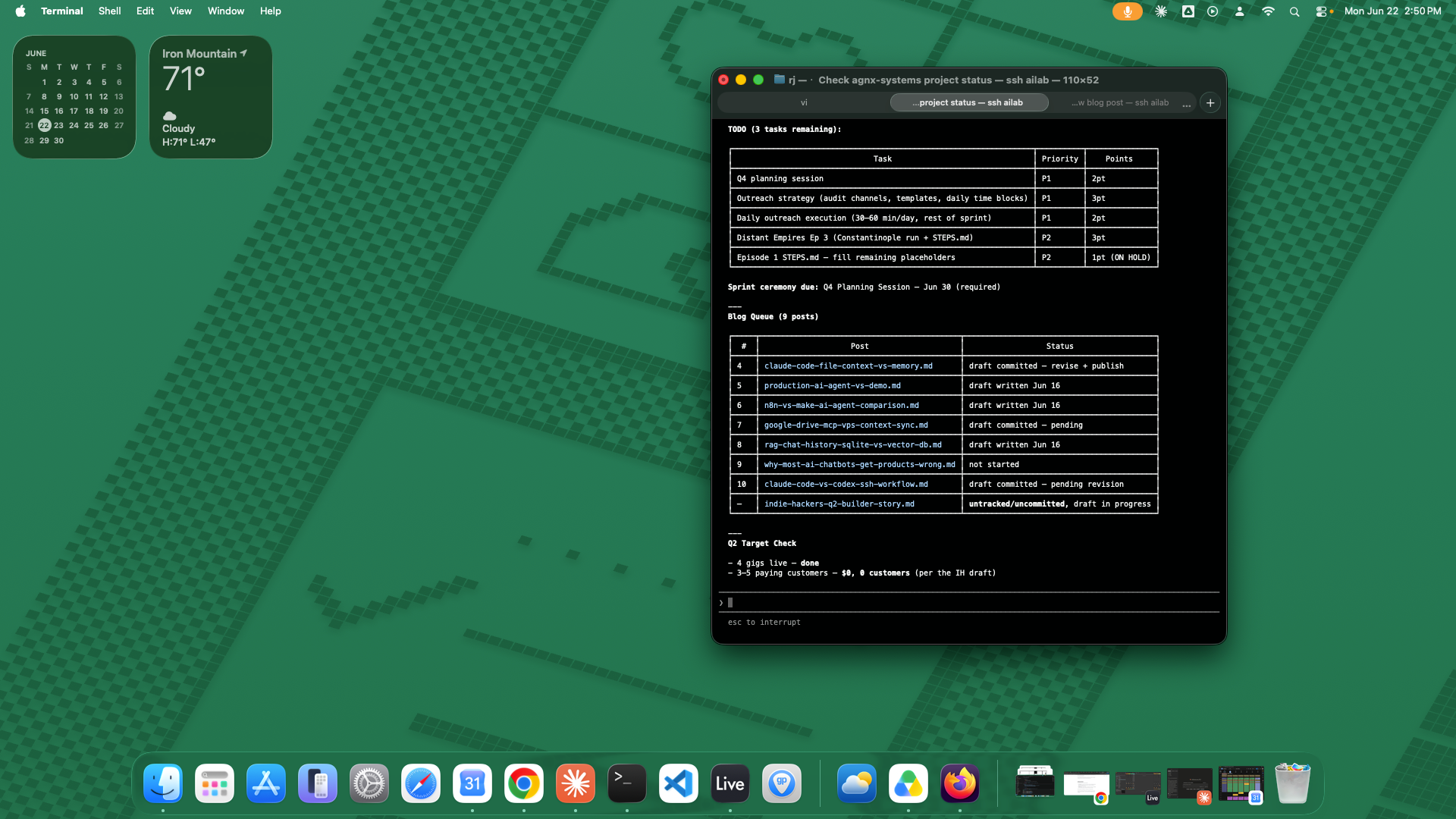
Actual full status output — Claude reads TASKS.md fresh and renders the sprint board in every session.
Thirty seconds into the session, Claude and I are fully synchronized on where things stand. No warmup required.
How This Compares to Claude's Memory Feature
Claude's auto-memory and this file system solve fundamentally different problems.
| File System Context | Claude Memory | |
|---|---|---|
| What it stores | Project state, tasks, decisions, technical specs | Personal preferences, working style, user facts |
| Who writes it | You (explicitly) | Claude (automatically) |
| Versioning | Git — fully diffable, rollback-able | None |
| Scope | Per-project | Global across all conversations |
| Readable without Claude | Yes — plain markdown | No |
| Team shareable | Yes — it's in the repo | No — personal to you |
| Best for | Complex ongoing project work | Preferences and habits |
The key distinction: file context is project documentation that Claude reads. Memory is Claude's notes about you. They complement each other — memory knows how I like to work, CONTEXT.md knows what I'm working on.
I use both. Memory handles the personal layer (response style preferences, editor choices, behavioral nudges). The file system handles the project layer (which sprint we're in, what services are deployed, what decisions have been made).
For simple tasks or one-off questions, Claude memory is enough. For ongoing projects with real complexity — multiple services, sprint cycles, technical decisions that compound over weeks — the file system approach is the only thing that scales.
What Makes This Work
A few things that separate this from just "putting notes in a file":
Explicit read instructions. CLAUDE.md tells Claude to re-read TASKS.md when running full status rather than relying on cached context. Small thing, big impact on accuracy.
Structured commands. Defining full status, checkpoint, and other commands in CLAUDE.md means the output format is consistent across every session. You can't iterate on a process if the output format keeps changing.
Behavioral constraints. The most underused feature. Putting "call out overbuilding and scope creep immediately" in a file that Claude reads every session is genuinely different from saying it once in a conversation. It persists.
Git as session history. Every checkpoint is a commit. You get a free audit trail of every session's decisions without maintaining a separate log.
Workspace vs project scope. ~/projects/CLAUDE.md sets rules for everything. ~/projects/personal/agnx-systems/CLAUDE.md sets rules specific to that project. The layering lets you set global preferences once and override them per project.
The Tradeoff
This system requires maintenance. CONTEXT.md gets stale if you don't checkpoint. TASKS.md drifts if you forget to update statuses. The files are only as good as the discipline you bring to keeping them current.
Remembering to checkpoint once per session buys me a fully-oriented Claude in every future session. Over weeks of daily work, that compounds significantly.
If you're running a project that matters to you and you're working on it regularly with Claude Code, the overhead is low and the payoff is real.
Getting Started
If you want to try this, start with just two files:
- CLAUDE.md — write one section: "Who I Am" with your background and one section "Behavioral Rules" with 3-5 things you actually want Claude to do differently. Be specific and honest.
- CONTEXT.md — write one section: "Current State" with what you're building and where things stand today. Update it at the end of every session.
That's enough to feel the difference. Add structure as the project grows.
The goal isn't a perfectly organized system. It's a Claude that's already oriented when you open a new session — so you can spend the time building instead of re-explaining.
Part 2 of an ongoing series on AI memory management and context. Part 1: SSH + Claude Code AI Lab Workflow · Part 3 (coming): syncing this file context across machines using Google Drive MCP.
RJ Militante is a senior software engineer and founder of AGNX Systems, building AI-powered services and tools. He writes about development, AI tooling, and indie hacking at blog.agnx.systems.